To the page content
iZotope Ozone 12 Elements for free

iZotope Ozone 12 Elements for free

Up to and including 15.01.2026 when you buy one of the participating products you get iZotope Ozone 12 Elements worth EUR 59,00 for free on top.

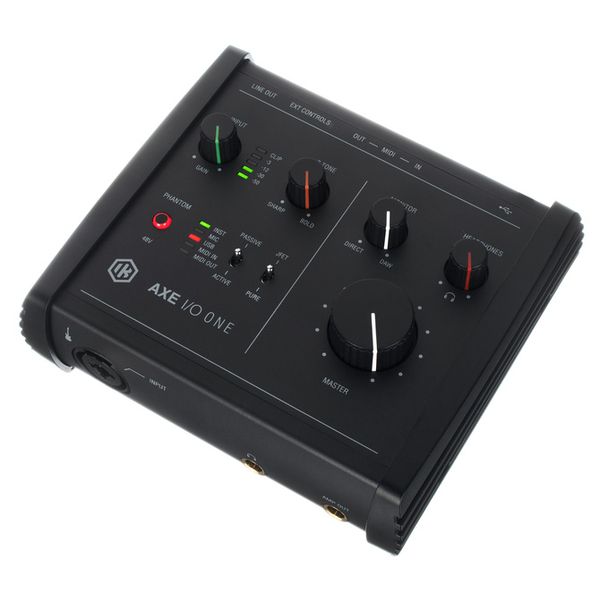
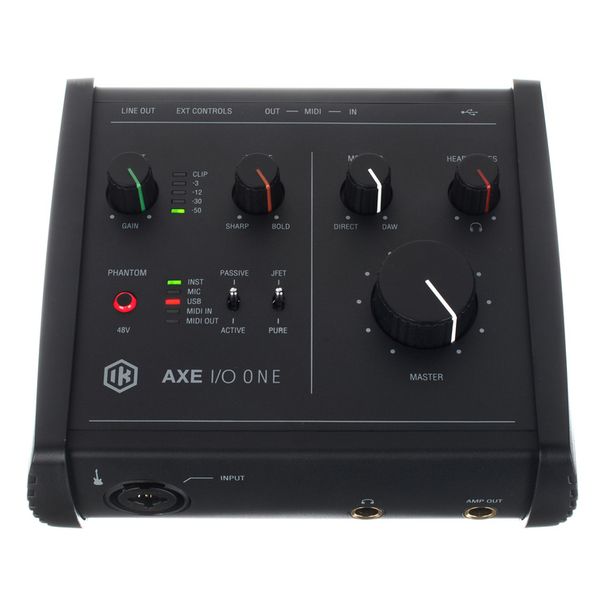
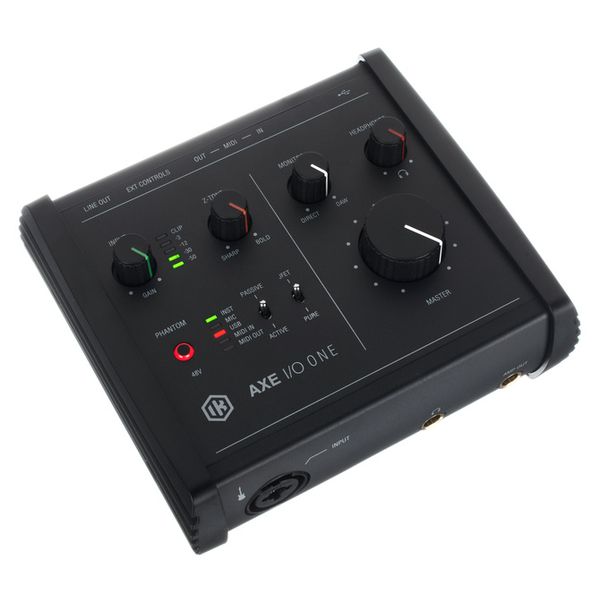
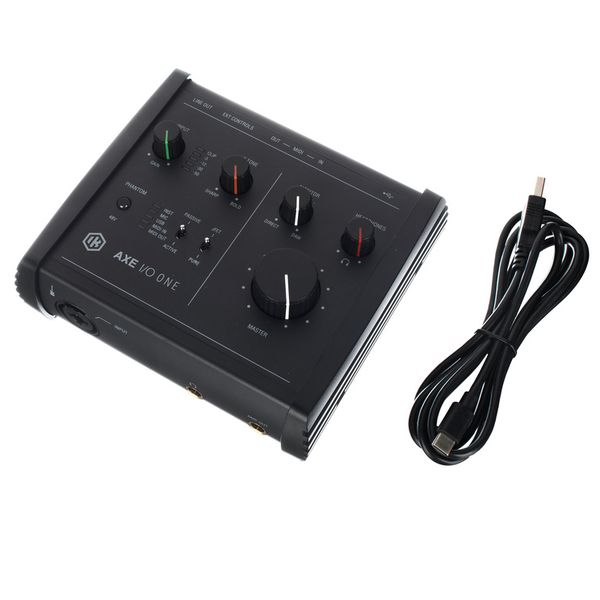
USB 2.0 Audio Interface

  • Specially designed for guitarists
  • 24 Bit / 192 kHz converter
  • Class-A microphone preamp with phantom powering
  • 1 Input and 3 outputs
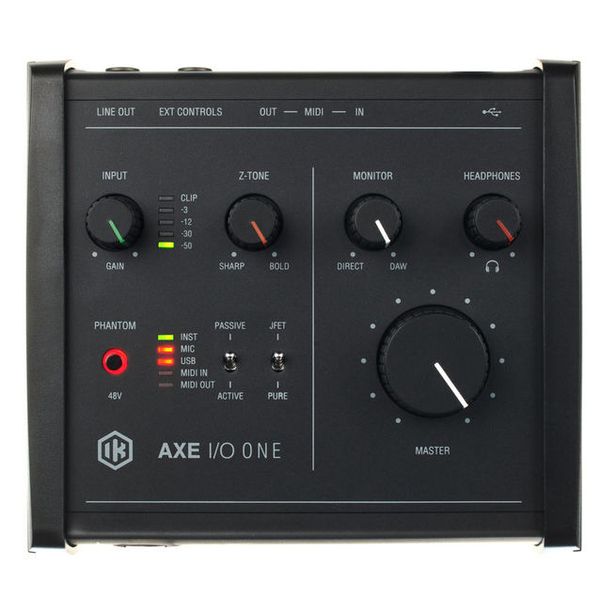
  • Z-Tone input for guitar/bass with impedance adjustment
  • Active / passive pick-up selector switch
  • PURE and JFET input stages
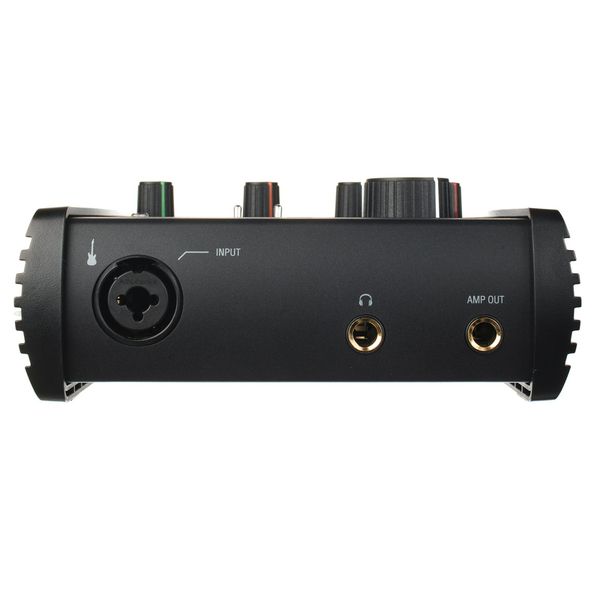
  • Amp Out output for easy reamping
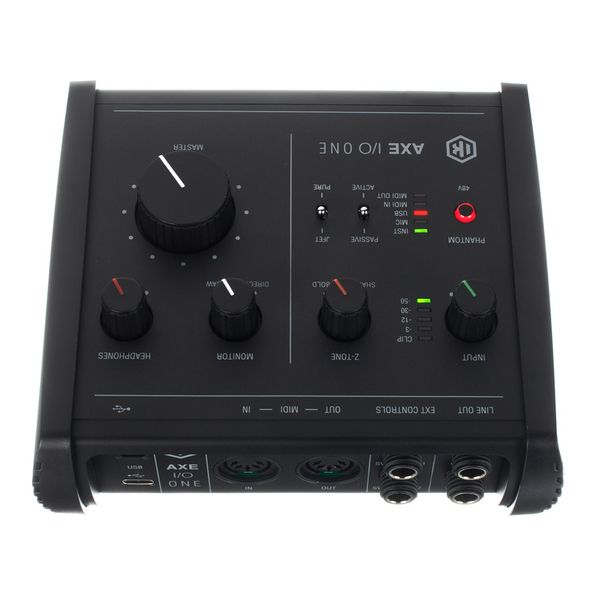
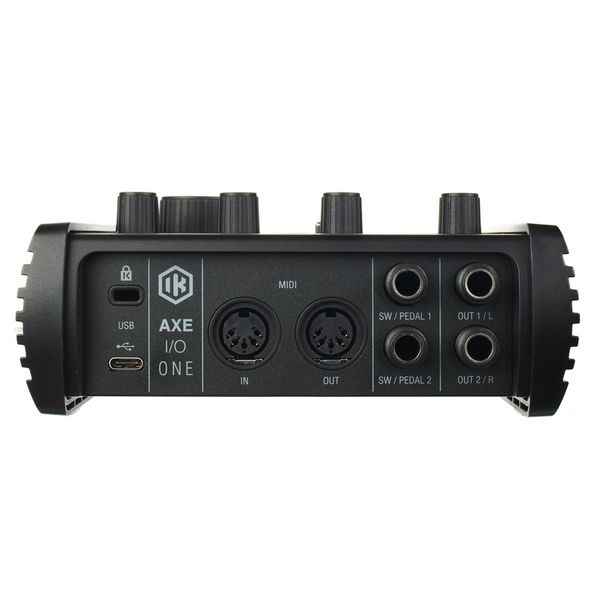
  • MIDI input and output
  • 2 Controller inputs for expression pedals or single/double switches
  • 6.3 mm Stereo jack headphone output
  • 2 Balanced 6.3 mm TRS jack line outputs
  • Dimensions: 160 x 52 x 130 mm
  • Weight: 0.37 kg
  • Includes ToneX SE, AmpliTube 5 SE and Ableton Live Lite
  • Available since April 2023
  • Item number 564098
  • Sales Unit 1 piece(s)
  • Recording / Playback Channels 1x3
  • Number of Mic Inputs 1
  • Number of Line Inputs 1
  • Instrument Inputs 1
  • Number of Line Outs 3
  • Headphone Outs 1
  • Phantom power Yes
  • Number of S/PDIF Connectors 0
  • Number of ADAT Connectors 0
  • Numer of AES/EBU Connectors 0
  • Number of MADI Connectors 0
  • Ethernet 0
  • Other Connectors No
  • MIDI interface Yes
  • Word Clock No
  • Max. sample rate (kHz) 192 kHz
  • Max. resolution in bit 24 bit
  • USB Bus-Powered Yes
  • Incl. power supply No
  • USB Version 2.0
  • Width in mm 160 mm
  • Depth in mm 130 mm
  • Height in mm 52 mm
  • Connection Format USB port Type C
  • Included in delivery USB cable 1,5 m
  • Zero latency monitoring Yes
£70
All prices incl. VAT
In stock within 1-2 weeks
1

27 Customer ratings

4 / 5

handling

features

sound

quality

19 Reviews

m
Built for plugins, unusable with plugins
marchfra 25.10.2025
First of all, if you're not gonna use this interface with plugins, you can safely skip this review - it probably won't matter to you.

However, this to me seems an interface that was created specifically to plug in direct with your guitar and use plugins: it has an abundance of features, most of which I deem quite silly to be honest, like the JFET/Pure switch or the Sharp/Bold Z-Tone knob to me are just marketing gimmicks and have no real use.
One actually great feature is the presence of the pedal jacks on the back: this way, for a fairly simple setup, I can control my plugins with basic switches (that cost just a few tens of euros) instead of having to buy a separate MIDI controller (a basic but decent one easily sets you back 100-150€).
But I digressed.

The point here is that this is an interface designed to work with a direct guitar signal.
Despite all those fancy features mentioned above then, it baffles me how this interface can fail so spectacularly at one of the most basic things: the monitoring section. As stated before, I bought this to use with plugins, so direct monitoring is useless to me (and reasonably to anyone who plugs in direct - i.e., the target user of this product), therefore I keep the Monitor knob all the way to the right on DAW to hear just the guitar sound processed by the plugins. And yet, with the knob in this position, some direct signal still bleeds through, making it very unpleasant at best an extremely annoying at worst to use this product. I have no way of knowing if this is actually the cause of the issue, but it feels like the potentiometer can't travel all the way to the right-most position and it stops just short of that, landing on a mix that is 95% DAW + 5% Direct or something like that.
By reading many online posts, I gather the manufacturer seems to be aware of the issue but just chucks it to user error or inexperience with the realm of plugins (and judging by the users replies, this is actually true for many of them). However, I can be sure that my software routing is correct and this is an interface-level issue because the same setup with another interface doesn't exhibit the same problem.

Until this is fixed, this product is unusable to me, so I'm returning it.

(I tried contacting the IK Multimedia support about this but I'm yet to receive a reply)

quality
features
handling
sound
1
1
Report

Report

OB
cant change the buffer size
Ozzy Buzzy 27.02.2024
i simply cannot advise this product , No matter have i tried , I wasn't able to change its buffer size, also talked to ik multimedia support team , they cant help me enough , the only solution they found is using amplitude settings to change axe's buffer size , so its really time consuming ,do not buy it. Instead of rhis, choose a more reliable company
quality
features
handling
sound
1
7
Report

Report

D
Does the job
Dulak 12.05.2023
Good addition to the AXE I/O range. Easy to set up for the most part, though it requires registration with IK Multimedia. Controls are intuitive. Poor information available about supported foot switches and expression pedals and their setup, minus points for that.
quality
features
handling
sound
7
2
Report

Report

T
Does what it suppose to do.
TheTinyTechBoy 27.06.2025
I had the earlier AXE I/O, while they are more solid built, this one feels a little light and plastic feeling.
But I have no issues with this unit. It's reasonable priced and has the features my old one had. Just more smaller and more compact. Quite like the size.
quality
features
handling
sound
0
0
Report

Report