


m
Built for plugins, unusable with plugins
First of all, if you're not gonna use this interface with plugins, you can safely skip this review - it probably won't matter to you.
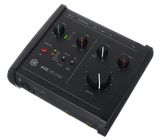
However, this to me seems an interface that was created specifically to plug in direct with your guitar and use plugins: it has an abundance of features, most of which I deem quite silly to be honest, like the JFET/Pure switch or the Sharp/Bold Z-Tone knob to me are just marketing gimmicks and have no real use.
One actually great feature is the presence of the pedal jacks on the back: this way, for a fairly simple setup, I can control my plugins with basic switches (that cost just a few tens of euros) instead of having to buy a separate MIDI controller (a basic but decent one easily sets you back 100-150€).
But I digressed.
The point here is that this is an interface designed to work with a direct guitar signal.
Despite all those fancy features mentioned above then, it baffles me how this interface can fail so spectacularly at one of the most basic things: the monitoring section. As stated before, I bought this to use with plugins, so direct monitoring is useless to me (and reasonably to anyone who plugs in direct - i.e., the target user of this product), therefore I keep the Monitor knob all the way to the right on DAW to hear just the guitar sound processed by the plugins. And yet, with the knob in this position, some direct signal still bleeds through, making it very unpleasant at best an extremely annoying at worst to use this product. I have no way of knowing if this is actually the cause of the issue, but it feels like the potentiometer can't travel all the way to the right-most position and it stops just short of that, landing on a mix that is 95% DAW + 5% Direct or something like that.
By reading many online posts, I gather the manufacturer seems to be aware of the issue but just chucks it to user error or inexperience with the realm of plugins (and judging by the users replies, this is actually true for many of them). However, I can be sure that my software routing is correct and this is an interface-level issue because the same setup with another interface doesn't exhibit the same problem.
Until this is fixed, this product is unusable to me, so I'm returning it.
(I tried contacting the IK Multimedia support about this but I'm yet to receive a reply)
However, this to me seems an interface that was created specifically to plug in direct with your guitar and use plugins: it has an abundance of features, most of which I deem quite silly to be honest, like the JFET/Pure switch or the Sharp/Bold Z-Tone knob to me are just marketing gimmicks and have no real use.
One actually great feature is the presence of the pedal jacks on the back: this way, for a fairly simple setup, I can control my plugins with basic switches (that cost just a few tens of euros) instead of having to buy a separate MIDI controller (a basic but decent one easily sets you back 100-150€).
But I digressed.
The point here is that this is an interface designed to work with a direct guitar signal.
Despite all those fancy features mentioned above then, it baffles me how this interface can fail so spectacularly at one of the most basic things: the monitoring section. As stated before, I bought this to use with plugins, so direct monitoring is useless to me (and reasonably to anyone who plugs in direct - i.e., the target user of this product), therefore I keep the Monitor knob all the way to the right on DAW to hear just the guitar sound processed by the plugins. And yet, with the knob in this position, some direct signal still bleeds through, making it very unpleasant at best an extremely annoying at worst to use this product. I have no way of knowing if this is actually the cause of the issue, but it feels like the potentiometer can't travel all the way to the right-most position and it stops just short of that, landing on a mix that is 95% DAW + 5% Direct or something like that.
By reading many online posts, I gather the manufacturer seems to be aware of the issue but just chucks it to user error or inexperience with the realm of plugins (and judging by the users replies, this is actually true for many of them). However, I can be sure that my software routing is correct and this is an interface-level issue because the same setup with another interface doesn't exhibit the same problem.
Until this is fixed, this product is unusable to me, so I'm returning it.
(I tried contacting the IK Multimedia support about this but I'm yet to receive a reply)
3
3
Report
OB
cant change the buffer size
i simply cannot advise this product , No matter have i tried , I wasn't able to change its buffer size, also talked to ik multimedia support team , they cant help me enough , the only solution they found is using amplitude settings to change axe's buffer size , so its really time consuming ,do not buy it. Instead of rhis, choose a more reliable company
2
11
Report
D
Does the job
Good addition to the AXE I/O range. Easy to set up for the most part, though it requires registration with IK Multimedia. Controls are intuitive. Poor information available about supported foot switches and expression pedals and their setup, minus points for that.
8
2
Report
T
Does what it suppose to do.
I had the earlier AXE I/O, while they are more solid built, this one feels a little light and plastic feeling.
But I have no issues with this unit. It's reasonable priced and has the features my old one had. Just more smaller and more compact. Quite like the size.
But I have no issues with this unit. It's reasonable priced and has the features my old one had. Just more smaller and more compact. Quite like the size.
1
0
Report
AF
Стабильная и надежна
За недели беспрерывный работы ( я использую ее с SuperiorDrummer 3) не было ни единого треска или отвала, работает стабильно и надежно в отличии от всем известных Focusrite - которые в течении часа отваливаются раз по 5, трещат и глючат и стоят раз в 5 дороже ( причем все 4 поколения). Из минусов - почему-то нельзя выбирать буфер, только через сторонние проги.
0
0
Report
J
Good guitar interface
Nice and cheap. Great for guitarists. Works flawlessly and allows to shape the tone a bit.
1
0
Report
D
Good basic interface for bedroom playing
I mainly practice and play using VSTs, as well as record my own music occasionally.
The interface is easy to use with some good tone shifting features. Highly recommended if you're after an easy to use interface with a low price tag.
The interface is easy to use with some good tone shifting features. Highly recommended if you're after an easy to use interface with a low price tag.
1
0
Report
d
IK Multimedia AXE I/O One
Well, the one star less goes to the hardware. I mean, I understand that you want to save on material etc, but this plastic is probably one of the cheapest plastics I have ever seen in my life.
Everything else is great.
Everything else is great.
0
0
Report
P
Solid interface for beginners and not only
I have been using this interface for a while with Tonex, Amplitube 5 and other plugins and there is really nothing to complain about. Can't tell anything about recording capabilities, but for simply playing guitar it has all the necessary features and even more, considering inputs for footswitch and expression pedal. It also has very small footprint, so doesn't use much space on the desk.
0
0
Report